
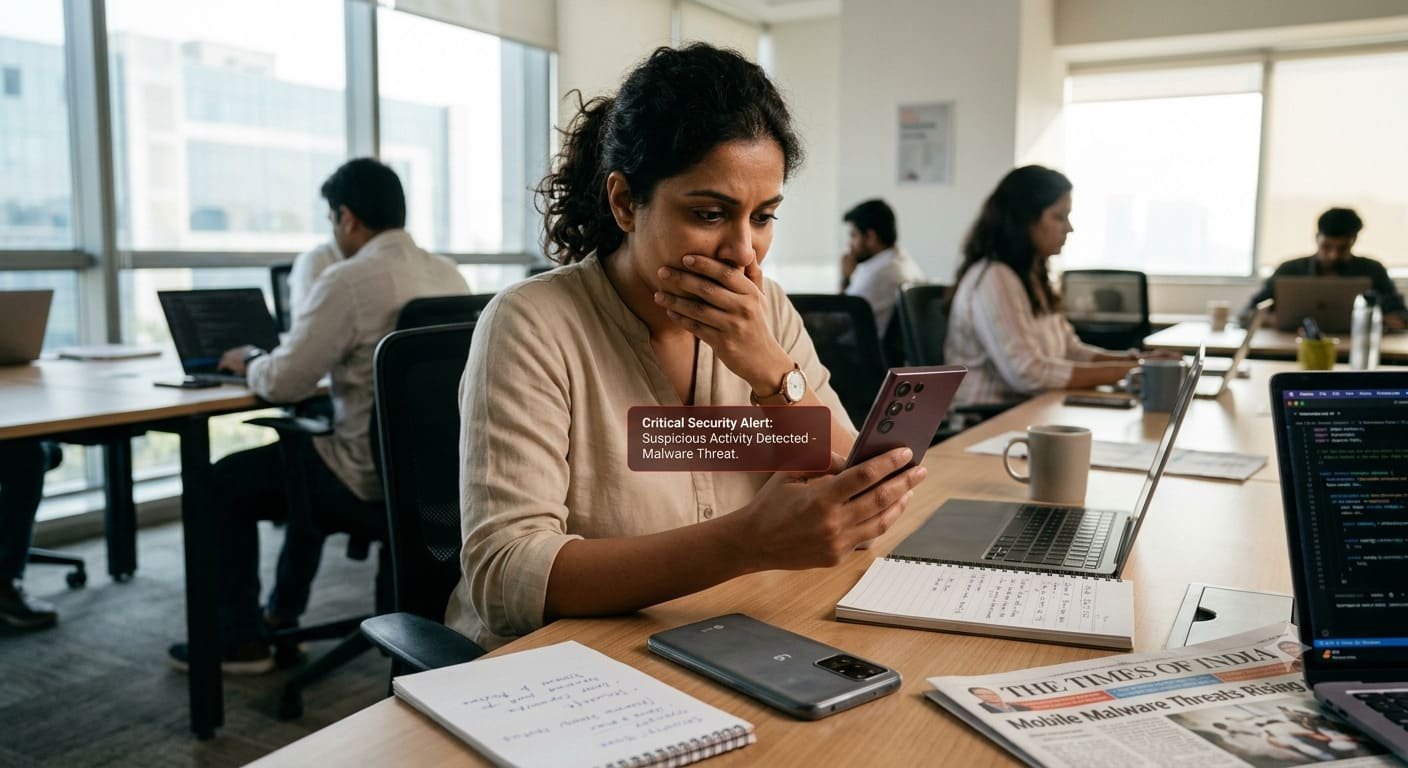
Smartphones have become an important part of modern life. From online banking and digital payments to social media, shopping, and professional communication, people depend on their phones for almost everything. However, this growing dependence also makes mobile security an important concern. Malware, phishing attacks, malicious applications, and outdated software can expose personal information when users do not take the necessary precautions.
In 2026, Android users need to pay closer attention to the security of their devices. Samsung continues to publish security updates for eligible Galaxy devices, while LG smartphone users face a different challenge because the company discontinued its mobile software update services in June 2025. These developments highlight the importance of understanding device security, recognizing suspicious activity, and choosing reliable ways to protect personal data.
Although these concerns do not mean that every Samsung or LG smartphone is infected, users should understand the potential risks associated with their particular device and software version.
Understanding the Growing Risk of Smartphone Malware
Mobile malware refers to software designed to perform harmful activities without the user’s informed permission. Depending on its purpose, it may attempt to steal login credentials, collect sensitive information, display unwanted advertisements, or gain unauthorized access to certain device functions.
Cybercriminals may disguise malicious software as a game, a document reader, a photo editor, or another application that appears useful. In other cases, they use fraudulent messages and websites to persuade people to download harmful files or disclose private information.
Smartphone attacks can be particularly concerning because a single device may contain access to email accounts, banking applications, saved passwords, personal photographs, and work-related documents. If an attacker compromises an account through a fraudulent link or unsafe application, the consequences may extend beyond the phone itself.
The level of risk varies according to the device model, Android version, installed applications, security patch level, and the user’s behaviour. For this reason, smartphone security should be treated as an ongoing responsibility rather than a one-time task.
Samsung Smartphones: Why Security Updates Are Important
Samsung is one of the major manufacturers in the Android smartphone market. Its Galaxy range includes devices at different price points, with different hardware capabilities and software support periods.
Samsung publishes security advisories that describe vulnerabilities affecting its products and identify fixes for supported software versions. These advisories can cover Android operating system components, Samsung applications, and other parts of the company’s software ecosystem.
According to Samsung’s official security update information, patches may address problems involving improper access controls, insufficient input validation, and other software weaknesses. If a vulnerability affects a particular device or application, installing the relevant security fix can help reduce the associated risk.
However, not every vulnerability affects every Samsung smartphone. Some issues apply only to specific applications or software versions, and the availability of a patch depends on the model, region, and update schedule.
Samsung users should therefore avoid assuming that their phones are either completely secure or automatically compromised. Instead, they should check the software updates available for their specific devices.
How to Check Samsung Security Updates
Galaxy users can generally follow these steps:
- Open the Settings application.
- Select Software update.
- Tap Download and install.
- Follow the instructions if an update is available.
- Open the Google Play Store and update installed applications.
The exact menu names may differ slightly depending on the device and software version.
Users should also check whether their model remains within Samsung’s security support period. A phone that no longer receives regular patches may require a different approach to managing sensitive activities.
Official reference: Samsung Mobile Security Updates.
LG Smartphones Face a Different Security Challenge
LG smartphone users face an important issue in 2026: the company has discontinued its mobile phone software upgrade services.
LG’s official notice confirms that its mobile software upgrade, Update Center, and LG Bridge services ended on June 30, 2025. The notice states that operating system and security updates are no longer available through these services.
This change matters for people who continue using older LG smartphones. When a manufacturer stops providing security patches, newly discovered vulnerabilities may remain unresolved on the affected devices.
An unsupported phone does not automatically become infected with malware. It may continue to perform everyday tasks, including calls, messaging, and browsing. Nevertheless, the absence of future manufacturer security updates can increase long-term exposure to vulnerabilities.
For users who depend on their LG phones for banking, work communication, email, or account management, this creates a reason to review whether their current devices remain suitable for those activities.
What LG Users Should Consider
People who continue using an older LG smartphone should take several precautions:
- Check the Android version and security patch level in the phone’s settings.
- Remove applications that are no longer needed or that come from untrusted sources.
- Avoid installing APK files from unfamiliar websites.
- Review application permissions and remove unnecessary access.
- Use multifactor authentication for important online accounts.
- Consider replacing the phone if it handles sensitive information and no longer receives security fixes.
A third-party security application may help identify some threats, but it cannot fully replace operating system updates that are no longer available from the manufacturer.
Official reference: LG Mobile Software Update Service Termination Notice.
Common Malware Threats Affecting Android Users
Understanding the different ways malware can reach a smartphone helps users recognize suspicious activity before it causes serious problems.
1. Malicious Applications
Some harmful applications imitate popular tools or offer features that seem too good to be true. They may promise free premium services, unofficial versions of paid applications, or special access to restricted content.
After installation, an application might request permissions that do not match its purpose. For example, a simple wallpaper application may have little reason to access SMS messages or accessibility services.
Before installing an application, check the developer’s identity, reviews, requested permissions, and official distribution source. Avoid modified applications from unknown websites, even when they appear to offer attractive features.
2. Phishing Messages and Fraudulent Links
Phishing is a common method of stealing personal information. Attackers may send text messages, emails, or messaging-app notifications that appear to come from a bank, delivery company, online retailer, or government service.
These messages often create a sense of urgency. They may claim that an account will be suspended, a payment has failed, or a package cannot be delivered unless the recipient opens a link.
A fraudulent website may look almost identical to a genuine login page. If a user enters a password or banking information, that information could be collected by the attacker.
The safest approach is to avoid opening unexpected links and visit the organization’s official website or application directly. Never share one-time passwords, banking PINs, or account recovery codes with someone who contacts you unexpectedly.
3. Spyware and Information-Stealing Applications
Spyware is designed to collect information about a user or device. Depending on its capabilities and the permissions it obtains, it may attempt to monitor activity, collect location information, or access other sensitive data.
Not every application that collects information is spyware. Legitimate applications may require certain permissions to provide their services. The concern arises when software collects information without proper authorization or uses access for harmful purposes.
Users should review permissions regularly and remove applications they no longer trust. If an application requests access to sensitive functions without a clear reason, consider whether installing it is necessary.
4. Banking Malware and Financial Fraud
Mobile banking threats can target users who store financial information or conduct transactions through their phones.
Fraudulent applications and phishing campaigns may attempt to steal banking credentials, capture verification codes, or persuade users to approve transactions. Some attacks rely on social engineering rather than exploiting a technical weakness in the smartphone itself.
Users should install banking applications only from verified sources, enable transaction alerts, and protect their accounts with strong authentication. If suspicious transactions appear, contact the bank through its official channels immediately.
5. Malware Delivered Through Fake Updates
Attackers sometimes disguise malicious downloads as urgent software updates, browser upgrades, or security tools.
A legitimate update should come through the device’s official update settings or a trusted application store. A website that asks users to download an unfamiliar file to fix a supposed security problem should be treated cautiously.
Samsung users should use the official software update feature for their devices. LG users should be especially careful with websites claiming to provide unofficial security patches or replacement manufacturer updates.
6. Unsafe Public Wi-Fi and Network Scams
Public Wi-Fi networks can create privacy risks, especially when users connect to unfamiliar networks or visit websites without secure connections.
A malicious network may attempt to redirect users to fraudulent pages or collect information from poorly protected connections. Public Wi-Fi does not automatically infect a phone, but it is important to be cautious about what you access while connected.
Avoid conducting sensitive transactions through suspicious networks. Use trusted websites and applications, keep device security features enabled, and consider a reputable VPN when appropriate.
Warning Signs That May Indicate a Security Problem
A smartphone may display unusual behaviour for many reasons, including aging hardware, battery problems, software bugs, or demanding applications. Nevertheless, certain changes deserve attention, particularly when they appear unexpectedly.
Potential warning signs include:
- Unusual battery drain: An unfamiliar application may be consuming resources in the background.
- Unexpected data usage: An application may be using more mobile data than normal.
- Persistent advertisements: Pop-ups appearing outside the applications that normally display advertisements may indicate unwanted software.
- Unknown applications: Apps you do not remember installing should be investigated.
- Unfamiliar permissions: Changes involving accessibility, SMS, or other sensitive permissions may deserve closer inspection.
- Unexpected account alerts: Notifications about unknown sign-ins or password changes may indicate an account security problem.
- Unusual device behaviour: Repeated crashes, unexplained settings changes, or persistent redirects may warrant further investigation.
These symptoms do not prove that a phone has malware. If several appear together, review recent installations, run a security scan, and investigate any unusual account activity.
How to Protect Samsung and LG Smartphones From Malware
Users can reduce many common mobile security risks by combining software maintenance with careful online behaviour.
Keep Software Updated Whenever Possible
Install official operating system, security, and application updates whenever they are available for your device. Updates often include fixes for known vulnerabilities and improvements to existing security protections.
Samsung users should follow the update schedule for their specific Galaxy model. LG users should recognize that official mobile update services have ended and consider the limitations of continuing to use an unsupported phone.
Enable Google Play Protect
Google Play Protect checks applications for potentially harmful behaviour on supported Android devices with Google Play services. It can warn users about certain harmful applications and help identify risks.
Keep Play Protect enabled and respond to warnings. However, no security scanner can guarantee that every threat will be detected.
Download Applications From Trusted Sources
Prefer Google Play or the manufacturer’s official application store. Before downloading an application, check its developer, permissions, and reputation.
Avoid pirated software, suspicious APK files, and applications advertised through unsolicited messages. An application that promises unrestricted access to paid features may carry risks that outweigh its benefits.
Use Strong Authentication
Protect your device with a strong PIN or password and enable fingerprint or facial authentication where supported.
For important online accounts, use multifactor authentication when available. Consider using a reputable password manager to create and maintain unique passwords rather than reusing the same password across several services.
Review Application Permissions
Check which applications can access your camera, microphone, contacts, location, SMS messages, and accessibility functions.
Remove unnecessary permissions and uninstall applications that are no longer required. Be especially cautious when an unfamiliar application asks for powerful access to control or read information on your device.
Back Up Important Information
Regular backups can help protect important files if a device is lost, damaged, reset, or compromised.
Back up photographs, documents, and other essential information using a trusted service or secure storage method. Make sure your backup account is protected with strong authentication.
Avoid Sharing Sensitive Information
Never provide banking PINs, passwords, or one-time verification codes to people who contact you unexpectedly. Legitimate organizations should not require you to disclose confidential authentication codes through an unsolicited message or phone call.
If you receive a suspicious request, contact the organization using its official phone number, website, or application.
What to Do If You Suspect Your Smartphone Has Malware
If your Samsung or LG smartphone starts behaving suspiciously, take a careful approach instead of immediately assuming that the device has been infected.
Step 1: Stop interacting with suspicious content. Avoid opening unfamiliar links, installing additional applications, or entering sensitive information while investigating the problem.
Step 2: Review recently installed applications. Look for unfamiliar apps and remove suspicious software where possible. Some malicious applications may make removal difficult, so additional steps might be necessary.
Step 3: Run a security scan. Use Google Play Protect or another reputable mobile security application obtained from an official source.
Step 4: Check account activity. Review important email, banking, and online accounts for unfamiliar sign-ins or changes. If you suspect that a password has been stolen, change it using a separate trusted device.
Step 5: Contact your bank if necessary. If financial details or transactions may have been compromised, contact your bank through an official channel and follow its instructions.
Step 6: Consider a factory reset. If suspicious behaviour continues, a factory reset may help remove unwanted software. Back up essential files first and avoid restoring suspicious applications or files afterward.
A reset is not guaranteed to resolve every kind of compromise. If the problem persists, seek assistance from a qualified technician or the relevant service provider.
How Android Security Features Help Protect Users
Android includes multiple security mechanisms intended to reduce the risk of harmful applications and unauthorized access. These protections work alongside manufacturer updates and responsible user behaviour.
Google Play Protect helps identify potentially harmful applications. Android also uses application sandboxing and permission controls to limit what applications can access. Depending on the Android version and device configuration, additional restrictions can make certain risky activities more difficult.
Samsung devices may include manufacturer-specific security features, with availability varying by model. Users should check the documentation for their particular device to understand which protections are supported.
These measures are valuable, but they are not substitutes for updates. A device that no longer receives security fixes may remain exposed to vulnerabilities even when some protective features continue to work.
Should You Replace an Older Samsung or LG Smartphone?
Replacing a smartphone depends on its condition, security support, intended use, and the user’s budget.
An older Samsung phone that still receives security updates may remain suitable for everyday tasks. However, if its support period has ended, users should carefully consider the risks of relying on it for sensitive activities.
LG smartphone owners face a clearer support limitation because official mobile software update services ended in June 2025. People using these devices for online banking, business communication, or confidential information should assess whether moving to a currently supported smartphone is the safer option.
When selecting a replacement, consider the manufacturer’s security update commitment, the device’s expected support period, available authentication features, and its compatibility with essential applications.
A newer phone is not automatically immune to malware. Good security habits remain important regardless of the device’s age or price.
The Future of Mobile Security in 2026
Smartphone security continues to evolve as manufacturers and software developers address new vulnerabilities and improve protection mechanisms. Application screening, more careful permission management, stronger authentication, and timely security updates remain important parts of this effort.
At the same time, cybercriminals continue to exploit human behaviour through fraudulent messages, deceptive websites, and applications that appear legitimate. Technical safeguards cannot prevent every user from being tricked into sharing confidential information.
For Samsung owners, the priority is to keep supported devices and applications updated and monitor official security advisories. For LG owners, the end of manufacturer update services makes it particularly important to understand the limitations of older devices.
The most effective approach combines supported software, trusted applications, secure account practices, and awareness of common scams.
Conclusion
Samsung and LG smartphone users face different security considerations in 2026. Samsung continues to issue security advisories and patches for eligible devices, while LG’s discontinued mobile software update services mean that users should carefully assess the security of their older phones.
Neither situation means that every device is infected or that all users face the same level of risk. The actual exposure depends on the model, software version, available security protections, and the way the device is used.
By keeping supported software updated, avoiding suspicious downloads, reviewing application permissions, using strong authentication, and recognizing phishing attempts, smartphone owners can reduce many common security risks.
For users with older devices that no longer receive security fixes, evaluating a replacement may be a sensible step, especially when the phone is used for banking or other sensitive activities. Staying informed and taking practical precautions can help protect personal information in an increasingly connected world.
Frequently Asked Questions
1. Are Samsung phones at risk of malware in 2026?
Yes, Samsung phones can face malware and security vulnerabilities. The level of risk depends on the device model, software version, security updates, and installed applications.
2. Do LG smartphones still receive security updates?
LG ended its mobile software update services on June 30, 2025. Older LG smartphones may no longer receive official security patches, leaving some vulnerabilities unresolved.
3. How can I check my phone for malware?
Use Google Play Protect, review unfamiliar applications, check app permissions, and monitor unusual advertisements or data usage. These warning signs do not always mean a phone is infected.
4. How can I protect my smartphone from malware?
Install available security updates, download applications from trusted sources, avoid suspicious links, use strong passwords, enable multifactor authentication, and review application permissions regularly.