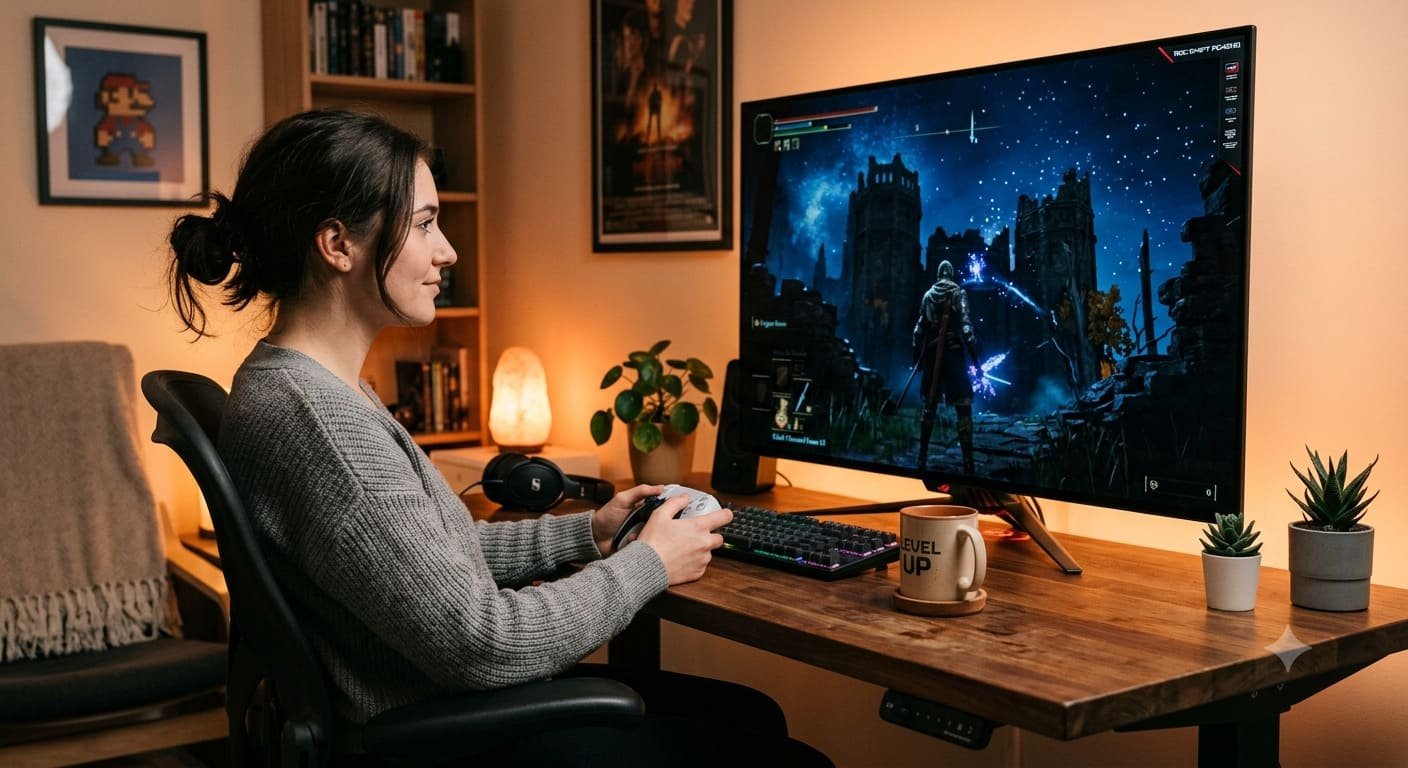
The gaming monitor market has changed considerably as high-resolution OLED displays have become more popular among PC gamers and console players. Modern monitors offer sharper images, faster refresh rates, improved motion handling, and features designed to make gaming more immersive. However, a premium monitor does not automatically become the best choice for every player.
The ASUS ROG Swift PG42UQ remains an interesting option for gamers who want a large screen, detailed 4K visuals, deep blacks, and smooth gameplay. Its 41.5-inch OLED panel combines the appearance of a large entertainment display with gaming-focused features such as HDMI 2.1, Adaptive-Sync, and a refresh rate of up to 138Hz.
But technology moves quickly. In 2026, buyers have more OLED monitors to consider, including models designed around higher refresh rates and different screen sizes. This makes the PG42UQ worth examining from a fresh perspective.
In this review, we explore its display quality, gaming performance, connectivity, everyday usability, limitations, and the factors buyers should consider before purchasing it today.
ASUS ROG Swift PG42UQ: An Overview
The ASUS ROG Swift PG42UQ is a premium gaming monitor built around a large 4K OLED panel. Rather than focusing exclusively on competitive gaming, it aims to deliver an experience that works for visually demanding games, entertainment, and general desktop use.
Its main attraction is the combination of a spacious screen and OLED picture quality. Dark scenes can appear genuinely black, bright objects stand out against darker backgrounds, and the large display makes detailed game environments feel more engaging.
The monitor also includes features that distinguish it from a conventional television, such as a DisplayPort connection, a USB hub, gaming-oriented image controls, and support for high-refresh-rate PC gaming.
For gamers who prefer a large display instead of a smaller desktop monitor, the PG42UQ offers a different approach to building a gaming setup.
Key Specifications of the ASUS ROG Swift PG42UQ
The following specifications are listed by ASUS for this model.
- Screen size: 41.5 inches
- Panel technology: OLED (WOLED)
- Resolution: 3840 × 2160 pixels (4K UHD)
- Maximum refresh rate: 138Hz
- Response time: 0.1ms GTG, as specified by ASUS
- HDR support: HDR10
- Typical brightness: 450 cd/m², according to the manufacturer
- Peak HDR brightness: Up to 1,000 cd/m², depending on conditions
- Adaptive-Sync: Supported
- Connectivity: DisplayPort 1.4 with DSC, two HDMI 2.0 ports, two HDMI 2.1 ports, and USB connectivity
- Audio: Integrated speakers and a subwoofer
- Stand adjustment: Tilt adjustment; no height adjustment
- VESA mounting: 300 × 300mm
Specifications alone cannot predict the complete viewing experience. Actual brightness, HDR presentation, motion performance, and usability can vary with settings, firmware, room lighting, and the content being displayed.
4K OLED Picture Quality: The Main Attraction
Picture quality is one of the strongest reasons to consider the PG42UQ. Its 3840 × 2160 resolution provides detailed images, making it suitable for games with complex environments, high-quality textures, and expansive landscapes.
OLED technology gives each pixel control over its own light output. When a scene requires black pixels, those pixels can turn off rather than relying on a backlight that illuminates the entire screen. This helps create deep blacks and strong contrast.
The difference is particularly noticeable in games featuring nighttime environments, dimly lit interiors, space exploration, and dramatic lighting. Instead of dark areas appearing grey, shadows can look more natural while illuminated objects remain visually distinct.
Colours are another important part of the experience. The display supports a wide colour gamut, helping compatible games and video content appear rich and expressive. Accurate colour reproduction is also useful when viewing photographs, editing graphics, or enjoying high-quality films.
However, a large 4K OLED screen is not automatically ideal for every desk. Buyers should measure their available space and consider how far they will sit from the display before making a decision.
Gaming Performance and Motion Clarity
A high-resolution gaming monitor needs more than attractive colours. It must also respond quickly when the action becomes intense.
The PG42UQ supports a maximum refresh rate of 138Hz, giving compatible PCs the ability to display more frames per second than a conventional 60Hz screen. This can make camera movement, fast-paced action, and scrolling appear smoother when the computer can produce sufficiently high frame rates.
Its OLED response characteristics also help reduce visible pixel-transition blur. Fast movement can remain clear without relying on the aggressive overdrive settings often used by some LCD monitors.
For action games, racing titles, role-playing adventures, and first-person shooters, this combination can create an enjoyable experience. The large screen is particularly appealing for players who value immersion and visual detail.
The important distinction is that 138Hz is not the same as 138 frames per second in every game. The monitor can refresh at that rate, but the graphics card, game engine, resolution, and graphics settings determine how many frames the system actually renders.
Competitive players who prioritise the highest possible refresh rates may prefer a newer, smaller gaming monitor with a higher refresh-rate ceiling. For players who value visual impact alongside responsiveness, the PG42UQ remains an appealing alternative.
HDR Gaming and Dark-Scene Detail
High Dynamic Range can improve the difference between bright highlights and darker areas in supported games and films. On the PG42UQ, OLED’s ability to produce deep blacks helps create a strong foundation for HDR presentation.
Bright effects, illuminated signs, explosions, and reflective surfaces can stand out against dark backgrounds. This can add depth to games that use lighting as an important part of their atmosphere.
Nevertheless, HDR performance depends on more than a peak-brightness figure. The size of bright areas, the monitor’s picture settings, the source material, and the surrounding lighting all influence what viewers see.
The PG42UQ should therefore not be judged solely by its advertised peak HDR brightness. People who play in very bright rooms or expect consistently intense full-screen brightness should compare real-world reviews before choosing it.
For a darker gaming room, where contrast and shadow detail matter, the OLED panel can be particularly attractive.
Is the PG42UQ Suitable for PS5 and Xbox Series X?
The PG42UQ is not limited to PC gaming. Its HDMI 2.1 connectivity and variable refresh rate support make it a candidate for current-generation consoles, including the PlayStation 5 and Xbox Series X.
A compatible console and game can take advantage of 4K output, while supported high-frame-rate modes can provide smoother motion. Variable refresh rate can also help reduce visible screen tearing when frame delivery changes during gameplay.
Actual performance depends on the console, game, output configuration, and supported video modes. Not every game runs at native 4K and 120 frames per second simultaneously.
The large screen also works well for players who sit farther away or share games with friends. However, its physical size may be inconvenient for a compact desk or a gaming area with limited viewing distance.
Before connecting a console, check the display settings, use an appropriate HDMI cable, and confirm that the desired resolution and refresh-rate options are enabled.
Connectivity and Everyday Convenience
A gaming display becomes more useful when it accommodates the rest of the setup without requiring constant cable changes.
The PG42UQ includes DisplayPort 1.4 with Display Stream Compression, two HDMI 2.0 ports, two HDMI 2.1 ports, and a USB hub. This arrangement makes it easier to connect a gaming PC, console, and other compatible devices.
The DisplayPort connection is particularly relevant for PC users, while HDMI 2.1 provides useful bandwidth for compatible gaming consoles and other devices.
Integrated speakers and a subwoofer offer a convenient audio option when a separate sound system is not available. They may be sufficient for casual gaming, videos, and everyday entertainment, although dedicated headphones or external speakers can provide a more personalised listening experience.
The monitor’s controls and display features also support gaming-oriented adjustments. As with any complex display, spending time configuring brightness, HDR, colour modes, and connected-device settings can help users achieve a more suitable result.
Using the ASUS ROG Swift PG42UQ for Work and Entertainment
Although gaming is its primary focus, the PG42UQ can serve as a multipurpose display.
Its large resolution allows users to arrange multiple windows side by side, making it possible to keep documents, browser tabs, communication tools, and creative applications visible at the same time. It can also be useful for watching films and streaming high-resolution video.
However, desktop productivity has some trade-offs. Text rendering on this OLED panel may not appear as clean as it does on certain traditional RGB-subpixel monitors, depending on the operating system, scaling, and viewing distance. People who spend most of their day reading small text or working with spreadsheets should test the display in person if possible.
The stand is another consideration. It supports tilt adjustment but does not provide height adjustment. Buyers may need a suitable desk arrangement or compatible VESA mount to position the screen comfortably.
A 41.5-inch monitor also requires more space than a typical 27-inch or 32-inch model. It is important to plan the desk layout rather than assume the display will fit comfortably into an existing workstation.
OLED Care and Long-Term Ownership
OLED technology offers excellent contrast and fast response, but it also requires sensible long-term care.
Static content, such as taskbars, fixed application panels, or persistent interface elements, can contribute to uneven pixel wear over time. This is commonly discussed as OLED burn-in. The risk depends on usage patterns, brightness, operating conditions, and how long static elements remain visible.
ASUS includes OLED Care features intended to help manage panel wear. Owners should follow the manufacturer’s guidance, keep supported protective features enabled, and avoid unnecessarily leaving the same bright image on the screen for extended periods.
For mixed work and gaming, practical habits include allowing the display’s supported maintenance functions to operate, using screen-sleep settings when away from the computer, and varying content when possible.
These precautions do not guarantee that burn-in will never occur. They are simply sensible ways to care for an OLED display.
Warranty terms are also worth checking before buying, particularly for a used or refurbished unit. ASUS lists a two-year warranty for the model in its specifications, including panel burn-in, but buyers should verify the terms applicable to their region, purchase date, and specific unit.
Advantages and Disadvantages
What We Like
- Large 41.5-inch 4K OLED screen for immersive gaming.
- Deep blacks and high contrast in dark scenes.
- Up to 138Hz refresh rate for smooth gameplay.
- Fast OLED pixel response for clear motion.
- HDMI 2.1 connectivity for compatible consoles.
- DisplayPort and USB connectivity for PC setups.
- Integrated speakers and subwoofer for convenient everyday use.
- Wide viewing angles and an anti-glare screen surface.
What Could Be Better
- The large screen may be unsuitable for smaller desks.
- The stand does not offer height adjustment.
- Text clarity may be less appealing for some productivity users.
- SDR brightness may be insufficient in rooms with strong ambient light.
- OLED requires awareness of long-term static-image wear.
- The 138Hz maximum refresh rate is below that of some newer high-refresh-rate gaming monitors.
- Its overall value depends heavily on current local pricing and availability.
ASUS ROG Swift PG42UQ vs. Newer Gaming Monitors in 2026
The gaming-monitor market now includes OLED displays with a wider variety of sizes, resolutions, and refresh rates. Some newer 4K models target players who want higher refresh rates, while smaller displays may offer a better fit for competitive gaming desks.
The PG42UQ takes a different approach: its main selling point is the combination of a very large screen, 4K resolution, OLED contrast, and a refresh rate that remains suitable for many games.
Buyers should compare monitors according to their priorities rather than assuming that the newest model is always better.
A smaller 4K OLED monitor may be a stronger choice for a desk with limited space. A higher-refresh-rate display may appeal more to esports players. A bright Mini LED monitor may be worth considering for a room with substantial daylight. Meanwhile, a discounted PG42UQ may still be attractive to someone who wants a large OLED screen for gaming and entertainment.
Prices and availability vary by region, so compare current offers, warranty coverage, return policies, and the cost of alternatives before deciding.
Is the ASUS ROG Swift PG42UQ Worth Buying in 2026?
The answer depends on the price and the kind of experience you want.
The PG42UQ remains worth considering if you want a large 4K OLED display, appreciate deep blacks and strong contrast, play a mixture of PC and console games, and have enough room for a screen of this size.
It is less compelling if your main priorities are an extremely high refresh rate, a compact desktop setup, maximum brightness in a sunlit room, or a monitor primarily intended for text-heavy professional work.
Because this is an older model, value matters more than its original premium positioning. A competitive price, a clear warranty, a good return policy, and a well-maintained panel can make a bigger difference than the product name alone.
Before purchasing, check the current price in your region, verify firmware availability through ASUS, inspect the screen if buying second-hand, and compare the specifications of newer alternatives.
Final Verdict
The ASUS ROG Swift PG42UQ combines a large 4K OLED panel with fast pixel response, a 138Hz refresh rate, HDR support, and useful connectivity. These features make it a capable option for players who want games to look immersive without giving up smooth motion.
Its biggest strengths are its screen size, contrast, and versatility across PC gaming, console play, and entertainment. Its main drawbacks are the space it requires, limited stand adjustment, potential text-clarity compromises, and competition from newer displays.
In 2026, the PG42UQ is not automatically the right purchase for everyone. It is best viewed as a large-format OLED gaming monitor that can still make sense when its price and condition are right.
For gamers who value a cinematic display and rich OLED visuals more than having the highest refresh rate available, the ASUS ROG Swift PG42UQ remains a model worth comparing before making a final decision.
Frequently Asked Questions
1. Is the ASUS ROG Swift PG42UQ worth buying in 2026?
Yes, the ASUS ROG Swift PG42UQ can still be worth buying in 2026 if you want a large 4K OLED display, excellent contrast, and smooth gaming performance at a competitive price.
2. What is the refresh rate of the ASUS ROG Swift PG42UQ?
The monitor supports a maximum refresh rate of 138Hz, delivering smooth motion in compatible PC games when your hardware can produce the required frame rates.
3. Is the ASUS ROG Swift PG42UQ compatible with PS5 and Xbox Series X?
Yes, it supports compatible console gaming features through its HDMI 2.1 ports, including 4K output and supported high-refresh-rate modes.
4. Does the ASUS ROG Swift PG42UQ have OLED burn-in risk?
Yes, like other OLED displays, it can develop burn-in after prolonged exposure to static images. Using OLED Care features and following ASUS maintenance recommendations can help manage this risk.